





In addition to the pay stations across our Penryn Campus car parks, the Trust App offers convenient ways to pay for parking without having to visit a pay station.
By downloading the Trust App and setting up an account, you are able to pay for your parking session shortly before leaving the car park or enable Auto-Pay, an optional feature within the app which makes paying for parking even easier.
With Auto-Pay enabled and your account details and a payment method saved in the App, your vehicle registration will be recognised by the ANPR camera as you drive through the barriers and you will be let out of the car park and automatically charged, with a receipt sent to your inbox.
The Trust App currently boasts over 350,000 downloads and is available on the App Store and on Google Play.
Key Benefits include:
- Quick and simple sign-up
- Add multiple vehicles to your account
- Enable Auto‑Pay for seamless entry and exit
- Automatic email receipts

Parking prices are the same whether you pay via the app or choose to visit one of our pay stations.
How to get started?
Simply download the Trust App and follow the onscreen instructions to:
- Create an account. You will need to verify your account using a valid email address.
- Add your vehicle details. You can add multiple vehicles if you need to.
- Add a payment method. You will also have the option to enable Auto-Pay if you want to.
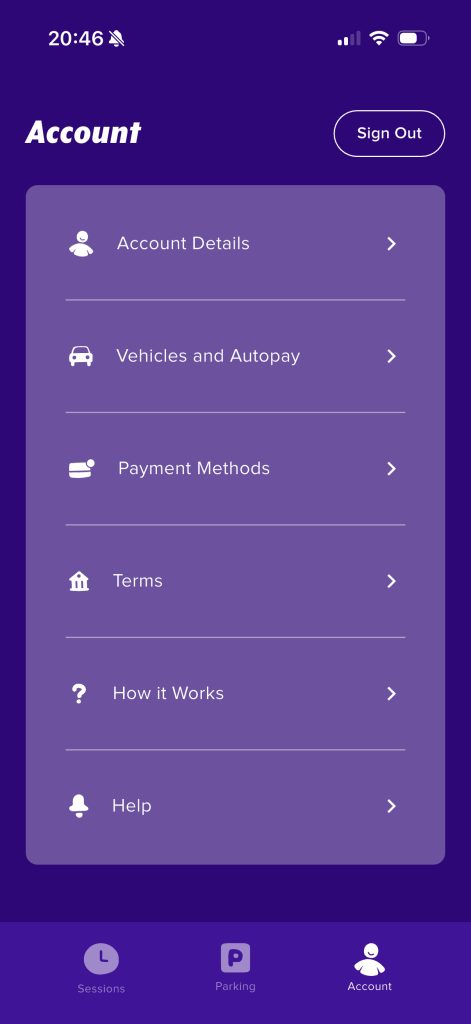
How the app works?
When you drive into the car park the ANPR camera on the barriers reads your registration plate and your live session begins. You will see your parking session appear in the ‘Session’ tab within the app. Drive out of the car park and the camera will match your vehicle registration, and you will automatically be charged and a receipt sent to your inbox. Don’t worry if you do not want to use Auto-Pay. You can also open the app shortly before you want to leave, tap on the session and pay before you set off.
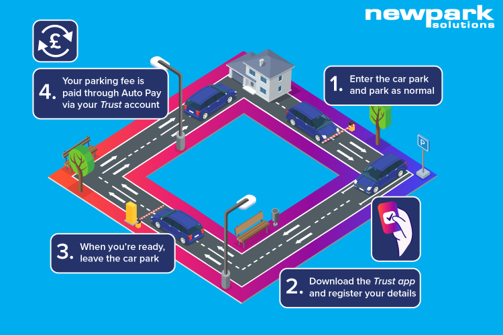
Trust App is owned by JL Finance Ltd trading as Newpark Solutions, and this is referenced in the terms and conditions section of the app itself.
If you have any questions about the new system, please contact: carparking@fxplus.ac.uk.